
Registering a Firearm
Get a legal firearm from vMenu and register it to your character in CAD.
Legal firearms come from vMenu. Once you have one, register it to your character in CAD so law enforcement see it when they run you. Carrying an unregistered firearm is a crime in character.
#Get your firearm
- Press F1 and open Player Related Options > Weapon Options.
- Pick your firearm. What you can grab depends on your Civ rank.
- We suggest saving it to a loadout so you can recall that exact firearm in the future.
#Register it in CAD
- Open CAD at palomino.gg/cad, or type
/imperialtabletin game. - Press Firearms at the top.
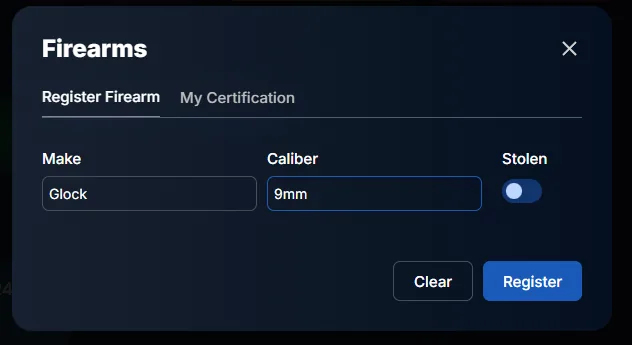
- On the Register Firearm tab, enter the make and caliber.
- Press Register.
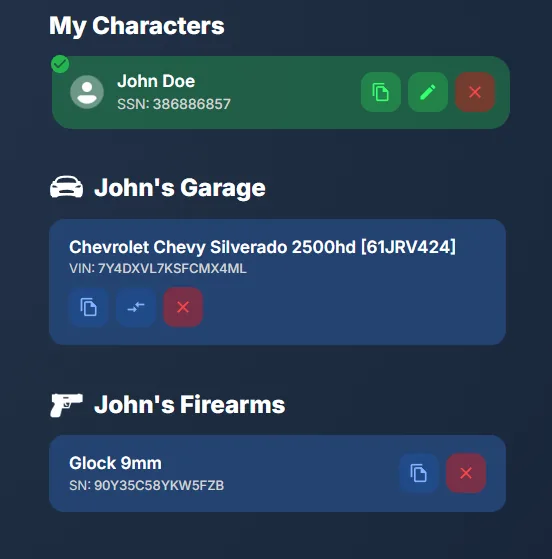
It now shows under your character's firearms, with its serial number.
Note
Firearms can't be registered on the portal yet. That's coming. For now, CAD is the only place to register them.