
Joining a Department
Apply to a department on the portal and follow your application.
Palomino has departments for law enforcement, fire and rescue, and dispatch, with more on the way. Every department that's taking applications is listed on the portal. You apply there and follow your application there too.
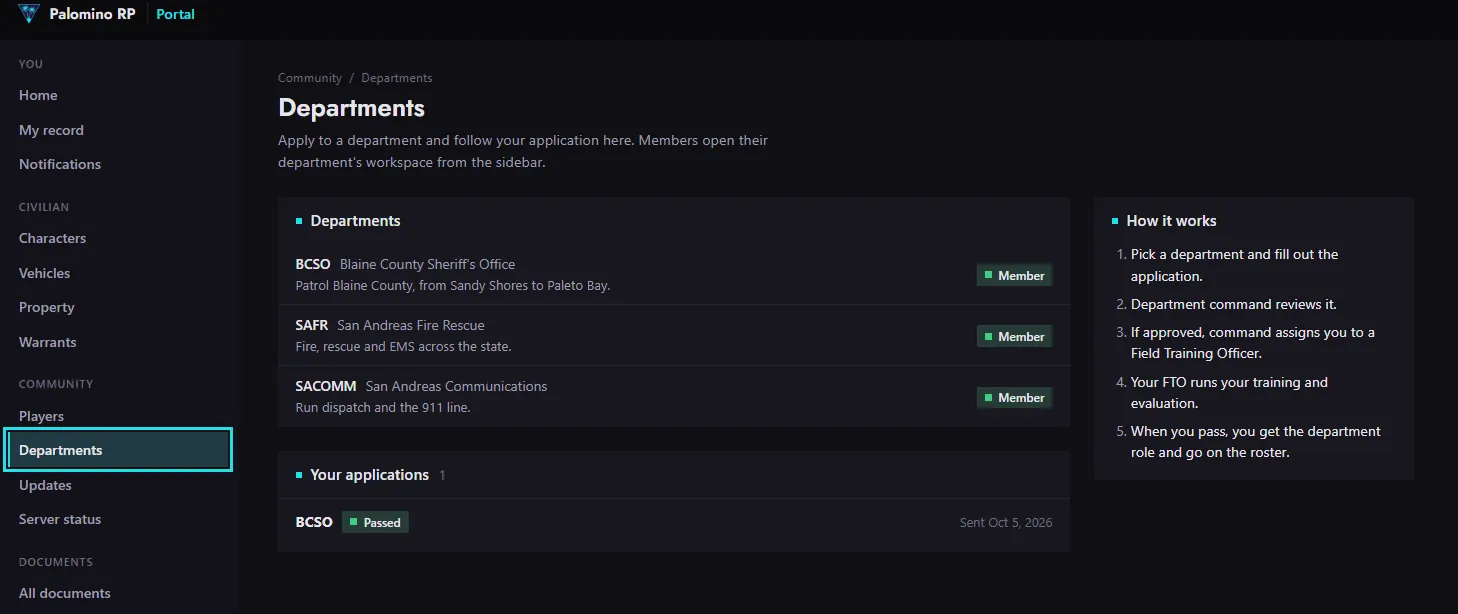
#How it works
- Pick a department and fill out the application.
- Department command reviews it.
- If you're approved, command pairs you with a Field Training Officer (FTO).
- Your FTO runs your training and evaluation.
- When you pass, you get the department role, a callsign and a spot on the roster.
#Apply
- On the portal, open Community > Departments.
- Press Apply next to the department you want.
- Answer the questions: the character you'll use, why you want to join, any experience, and when you usually play.
- Send it. You can withdraw it while it's waiting.
#After you apply
Your application's status shows on the Departments page: Waiting on command, In training, Passed or Not accepted.

You get a portal notification and a Discord DM when command decides, when you're paired with an FTO, and when you pass.
#Once you're in
The department shows in your portal sidebar under Workspaces. That's where you'll find the roster, your duty hours, the department leaderboard and documents.