Creating a Character
Make a character in game or on the portal. It shows up everywhere.
You only make each character once. Make them in game or on the portal, whichever is easier. Wherever you make them, they show up in all three places right away: in game, on the portal and in CAD. Each one gets their own SSN and phone number automatically. You can have up to 5 characters.
Note
Don't make the same character twice. If you made them in game, they're already on the portal, and the other way around.
#Option 1: In game
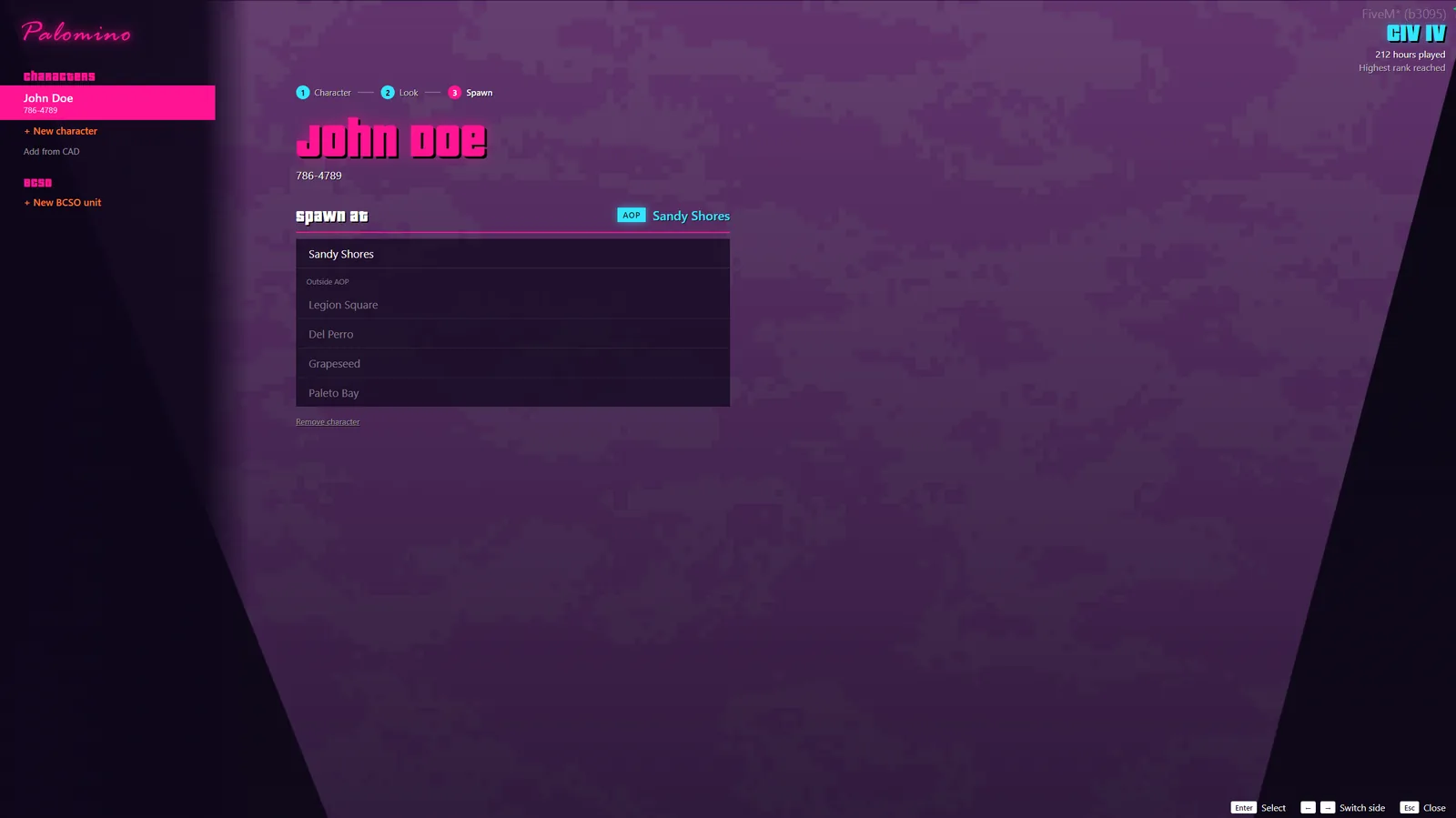
- At Arrivals, press E to open the character screen. Anywhere else, type
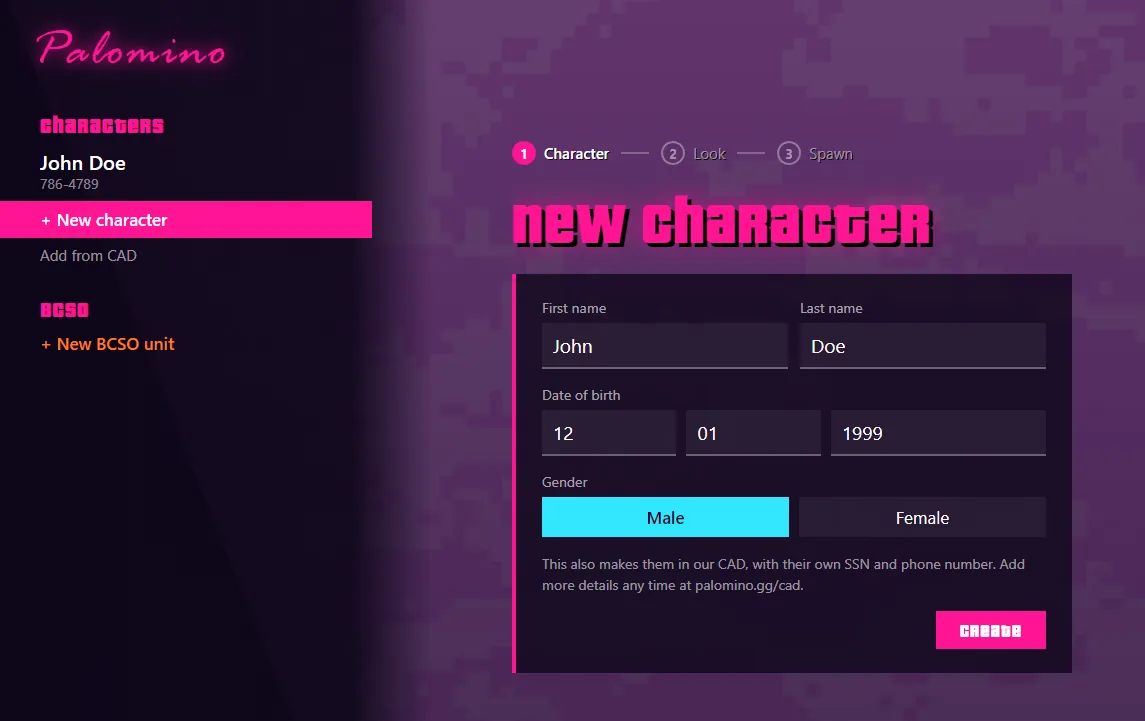
/characters. You can also use Characters on your phone. - Under Characters, pick New character.
- Enter a first and last name, date of birth and gender. Characters have to be 18 to 90 years old.
- Press Create. That's it. They're on the portal and in CAD too.
#Option 2: On the portal
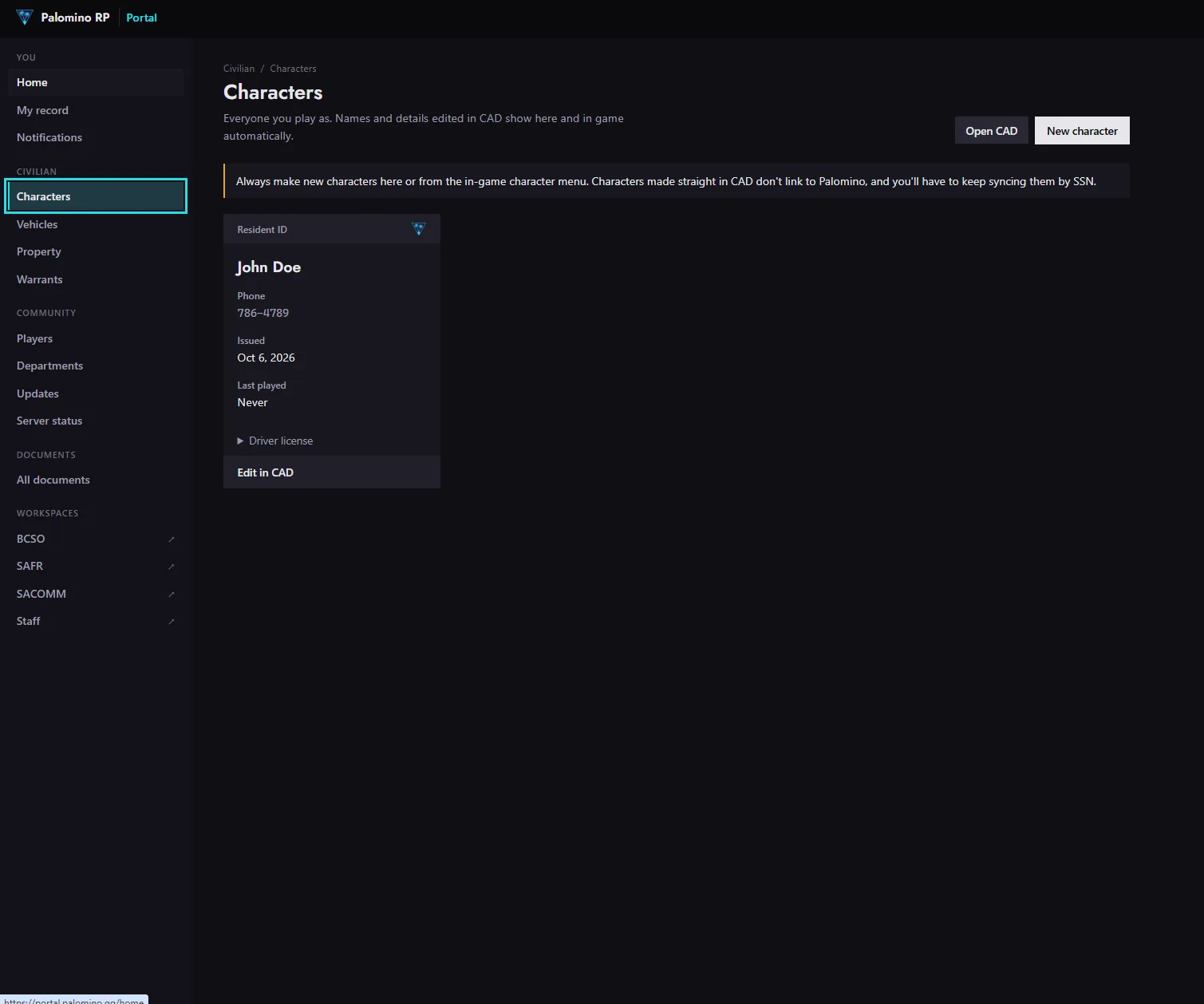
- Go to Civilian > Characters and press New character.
- Enter their name, date of birth and gender, then check them on the review step. Nothing is made until you confirm.
- Confirm. That's it. Next time you open the character screen in game, they're there.
#Already made one in CAD?
On the character screen, pick Add from CAD and enter its SSN. You'll find the SSN on the character in CAD. From then on it works like any other character.
Heads up
Always make new characters in game or on the portal. Characters made straight in CAD don't link to Palomino on their own.
#Switching characters
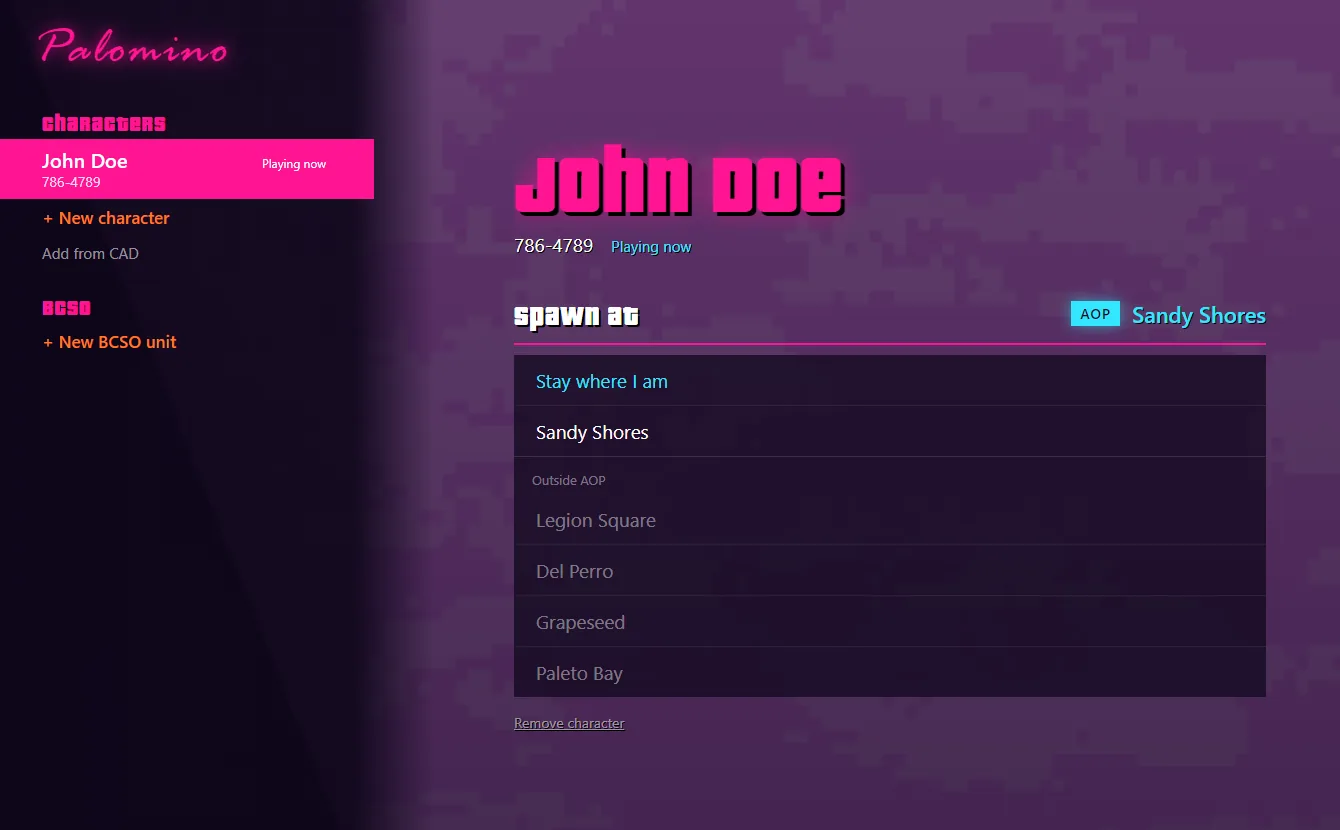
Type /characters any time to switch. Pick who you want to play and where to spawn. Spawns inside the AOP are listed first. Remember to load their look in vMenu (see Making Your Look).